
 EN
 EN
 FR
 DE
 IT
 ES
 NL
 BR
 PL
 CZ
 HU
 SE
 NO


Tips for an Awesome Happy New Year 2027 Slideshow
Looking back at the past twelve months always brings up a mix of memories—from wild trips and cozy family dinners to personal wins, gratitude lists, and ambitious resolutions for the year ahead. A custom holiday video is honestly one of the best ways to pack all those emotions into a gift that everyone will actually rewatch. Thanks to SmartSHOW 3D, you don’t need editing experience to make a New Year slideshow with smooth animations, festive music, and custom text layers.
This quick guide covers everything you need to build your project from scratch or using a handy New Year slideshow template. We’ll jump into creative ideas, break down the process into 5 simple steps, and share a few insider tricks to get that polished, professional look without the headache.
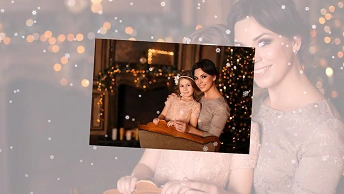




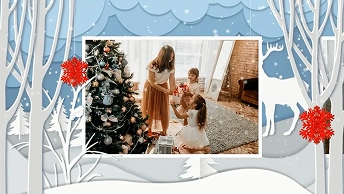
Looks awesome, right? We created these festive videos in SmartSHOW 3D. This is an easy New Year slideshow maker that has tons of various features! Now you can forget about PowerPoint, where you had to crawl through the inconvenient interface to bring some life into your slideshow.
SmartSHOW 3D lets you mix photos and videos, build collages with 3D animations, add realistic effects like falling snow and glowing stars, insert catchy tracks, and record voice comments. What’s more, you will be able to play with 800+ templates & effects, including gorgeous New Year slideshow templates.
Eager to test out SmartSHOW 3D? Download the free trial version below:
 For Windows 11, 10, 8, 7
Need a spark of inspiration before diving in? Check out these fun slideshow ideas to help you celebrate the New Year in style.
8 Inspiring Ideas for a New Year Slideshow Video
- New Year Wishes. Record a few short video clips of your kids or parents saying their holiday wishes. Mixing those clips with photos gives you a warm, personal New Year's wishes slideshow that feels way more real than a generic store-bought greeting card.
- New Year’s Resolutions. Turn your personal goals into something you can actually see. Dropping your targets onto New Year's slides keeps you accountable and gives you an extra boost of energy before January starts.
- Year in Review. Lay out the story of your year chronologically to capture every special detail of your life. Throw in pictures of the backyard fence you fixed, that snowy camping trip in winter, and birthday dinners—it’s a simple way to look back at everything you accomplished.
- 12 Months, 12 Moments. Don't waste three hours sorting through 4,000 photos on your iCloud or in a physical photo album. Force yourself to pick just one New Year photo per month—only the absolute highlights and makes the whole editing process super stress-free.
- Then vs. Now. Put an old childhood photo on the left slide and a recent one on the right. It’s an effortless concept for any event that works amazingly well for showing how much the kids grew or how your personal style has changed over the years.
- Best of 2026. Filter through your media gallery and select only the absolute highlights from the year. Combining moments from New Year’s Eve to summer trips ensures your final clip stays engaging from start to finish to amaze your viewers.
- Gratitude List. Use your slides to highlight the small favors, support, and friendship that made your year better. It’s a simple, low-key way to say a quiet thank you and show your close friends they matter.
- A Year of Firsts. Think about all the stuff you were nervous to try this year—like starting a new hobby, learning to drive, or moving into a new apartment. Compiling those "first-time" moments leaves you with a really inspiring reel to look back on.
Got a concept in mind? Now that you have picked the perfect theme, it is time to put those ideas into action and start building your video step by step.
5 Easy Steps to Make a New Year Slideshow
While there are many formats to choose from, a holiday greeting video is still the most popular type of New Year slideshow. Creating one that wows your family takes just a few clicks. To get started with the professional slideshow software, just follow these simple steps:
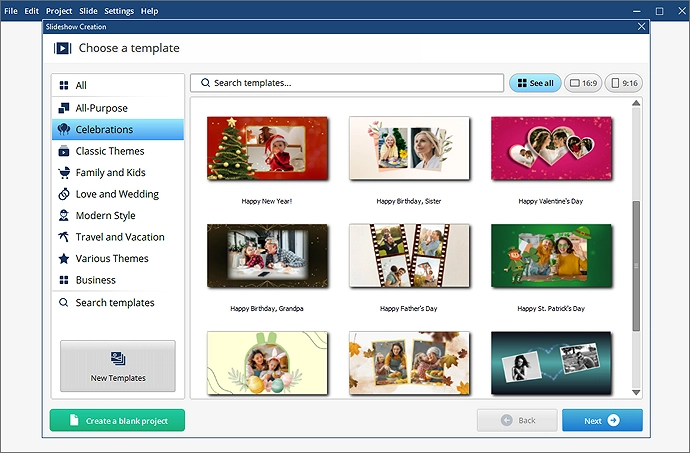
Step 1. Start a project from scratch. Otherwise, go with a ready-made template to save yourself more time: there are plenty of pre-designed templates for New Year slideshows. It's up to you to choose the best way of putting together your festive presentation.
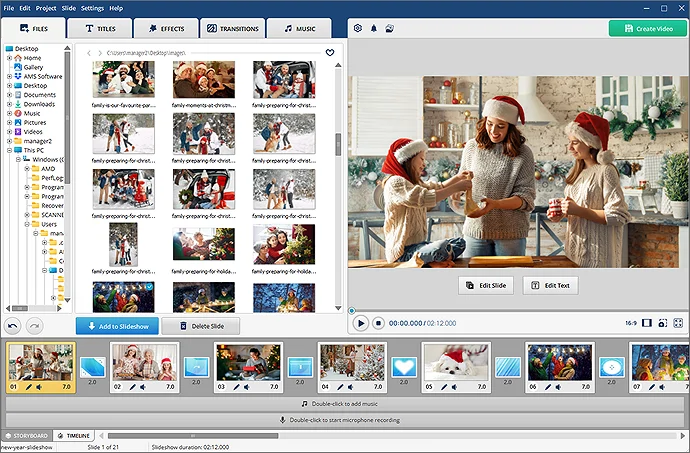
Step 2. Look through your pictures and add your favorite ones into the project. You can change the order of slides as well as crop or rotate your images. This way you can arrange your New Year pictures in a chronological order.
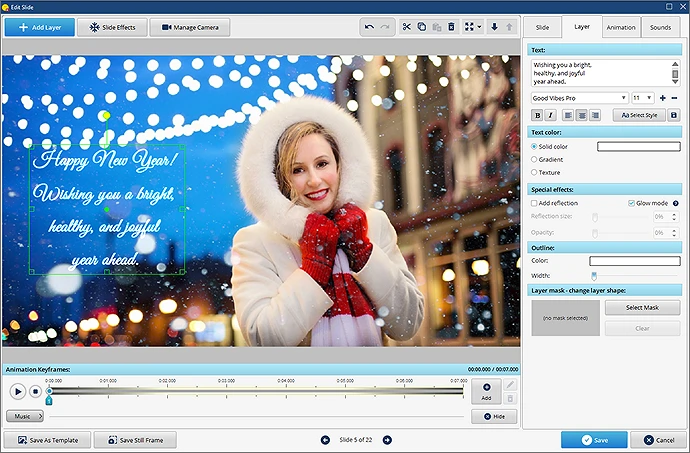
Step 3. Make your loved ones smile by adding warm wishes to your New Year video. Just double-click any slide and click Add Layer. You can use animated text or insert simple captions. Just be sure to pick a readable font.
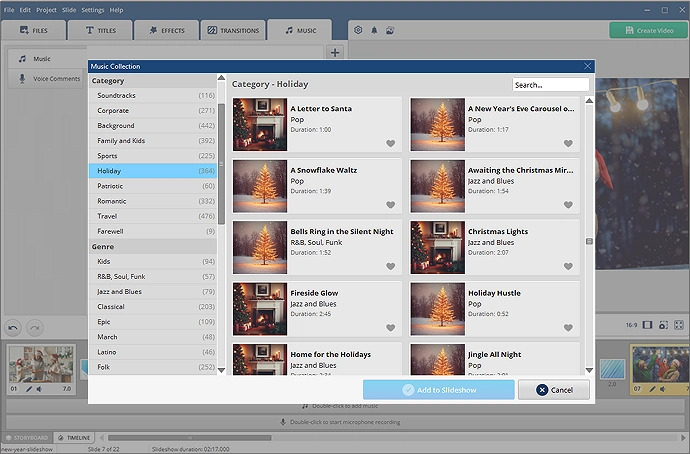
Step 4. Switch to the Music tab and drop in some festive tunes. You can use 1000+ royalty-free tracks from the built-in collection or add your own songs.
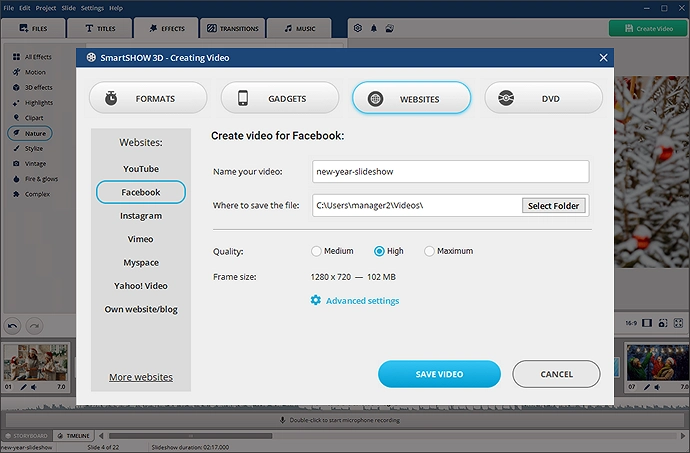
Step 5. Once everything is in place, hit the Create Video button. Pick a format that suits you best: export an HD video to play on a TV, burn your slideshow to DVD, or save a clip to share online via YouTube, Instagram Reels, and TikTok.
That’s it! Making a video is really easy as pie, so you’ll have enough time left to prepare for the celebration itself. Ready to follow these steps? Just download SmartSHOW 3D then:
For Windows 11, 10, 8, 7
Before you start exporting your project, here are a few extra tips to build a festive atmosphere and make your video look polished.
Happy New Year Slideshow Tips
- Retrospective. Show only the best moments from the passing year. Don’t just grab all the photos; instead, pick them carefully. Select 50 or 100 pics that will build a certain narrative throughout your video.
- Film it. Record a few videos with your friends or family members wishing something great for everyone. Scatter these greetings here and there. They will shine like little diamonds among regular slides.
- Keep the beat. Don’t forget about music. It’s one of the most important mood makers in your 3D video. Look for some cool New Year songs that could complement your slideshow.
- Pinch of magic. Don't be afraid and let yourself experiment with different features. Try playing with custom animations or adding a video background to your picture collage.
Putting together a Happy New Year slideshow for 2027 is quick once you have a clear concept and a straightforward step-by-step plan. By picking a strong theme, arranging your photos chronologically, and adding the right music and transitions, you can turn your photos into an impressive holiday video without spending hours on complex editing.
Frequently Asked Questions
You don't need any pro video editing skills for this. Open a slideshow program, throw in your favorite photos from the past 12 months, and overlay an upbeat track from popular New Year slideshow songs. Toss in a title slide at the start, export your video, and send it to your relatives to celebrate together.
Anything that brings back good memories. Throwback shots from years ago work awesome alongside recent phone pictures from a snowy day. Kids opening presents, family trips, or silly selfies always get the best reaction.
The best ones are personal. Skip those formal rhyming poems you find on Google or a corporate product launch announcement. Just write a quick message or note about a shared memory from last year or a simple wish for what's coming up in 2027. People appreciate real words over copy-pasted templates.
A timeline of your biggest 2026 moments is a classic. You could also do a "one photo per month" recap, a vision board showing your plans for 2027, or a compilation of short video hellos from distant friends.


Check out SmartSHOW 3D!

 For Windows 11, 10, 8, 7